
App template
Sextant: a bookkeeping app template.
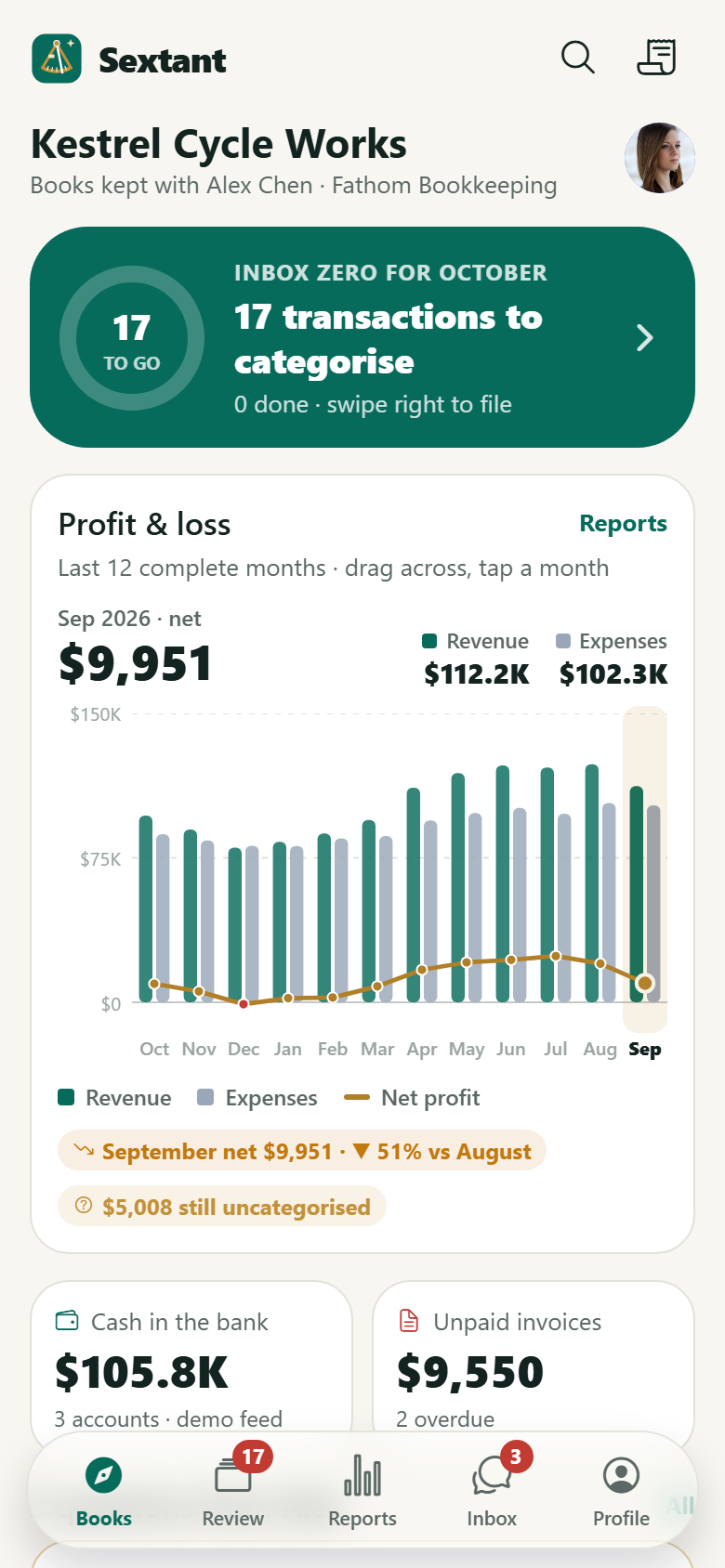
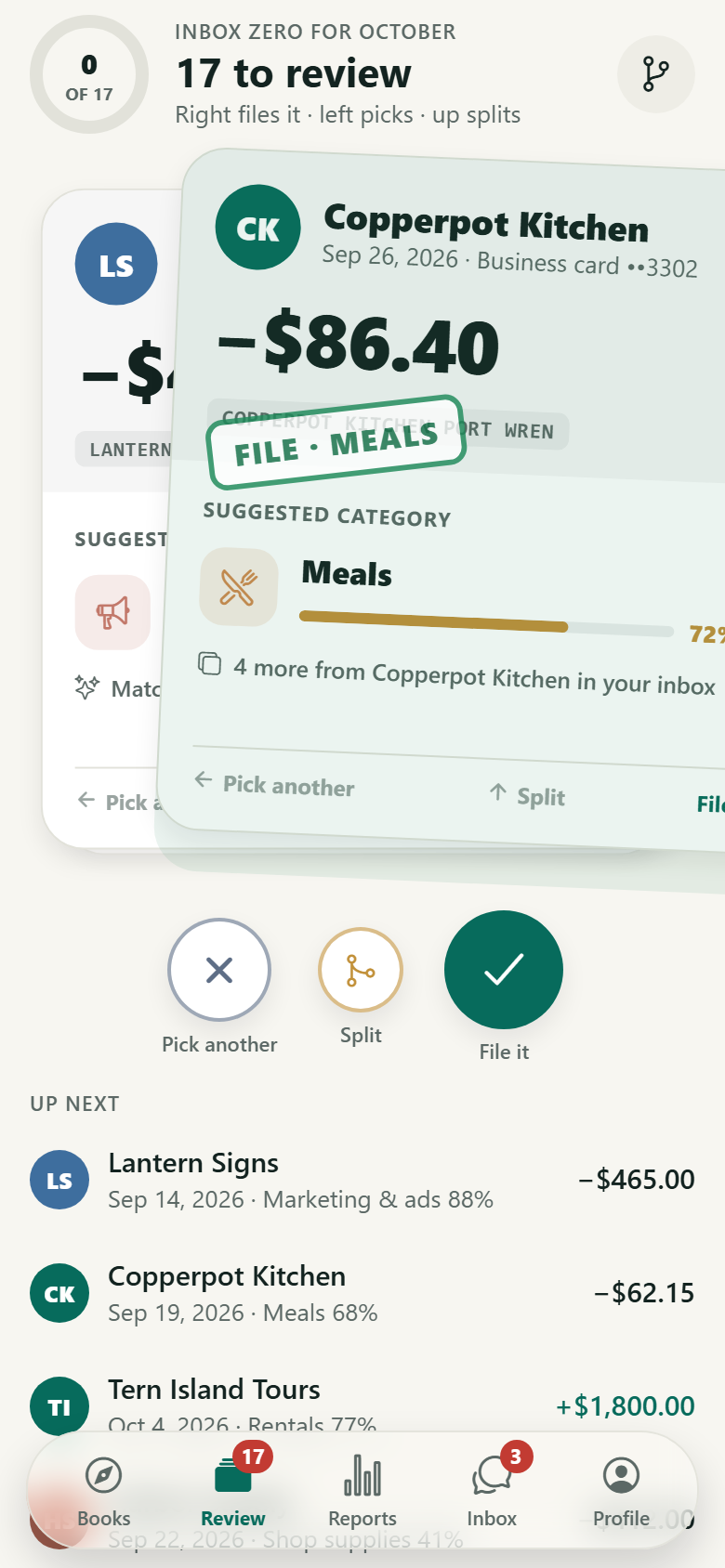
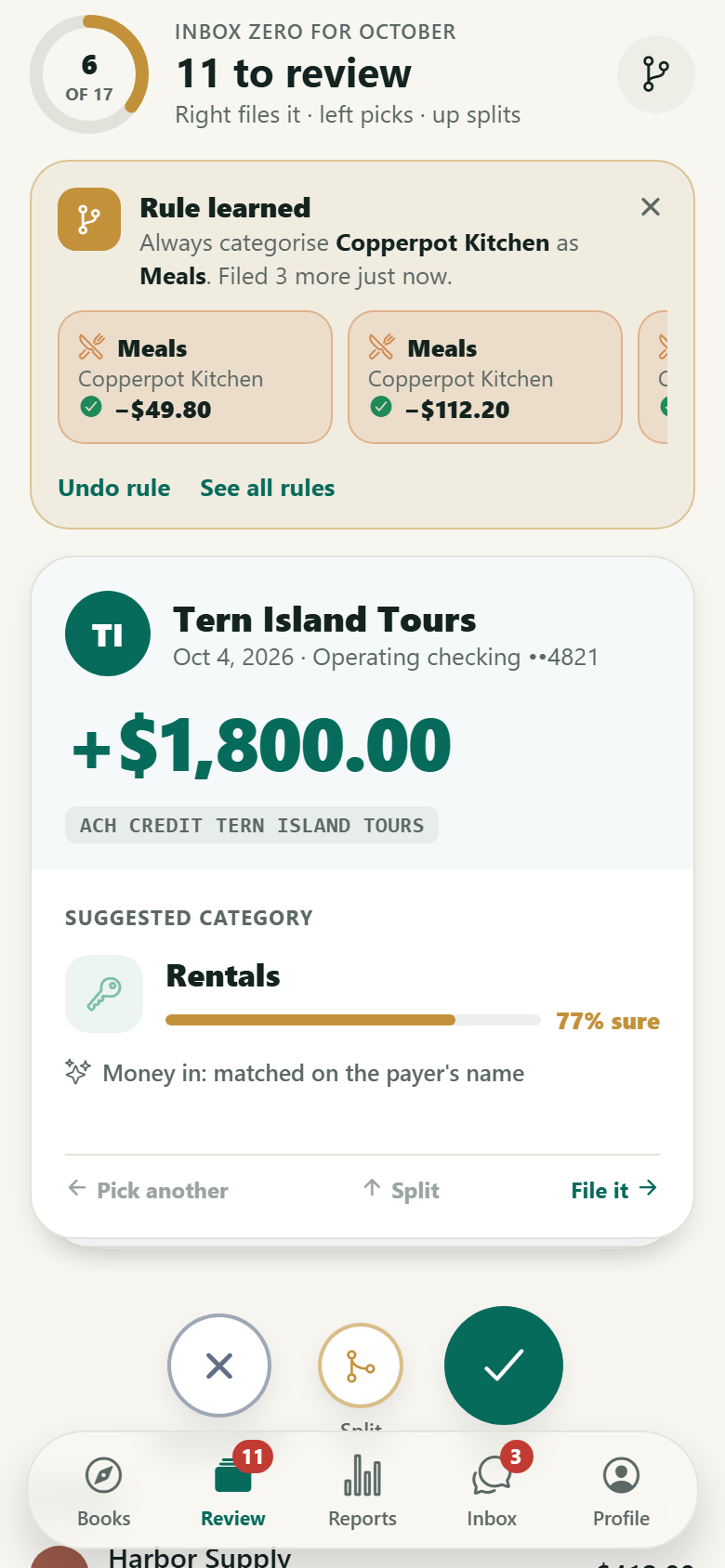
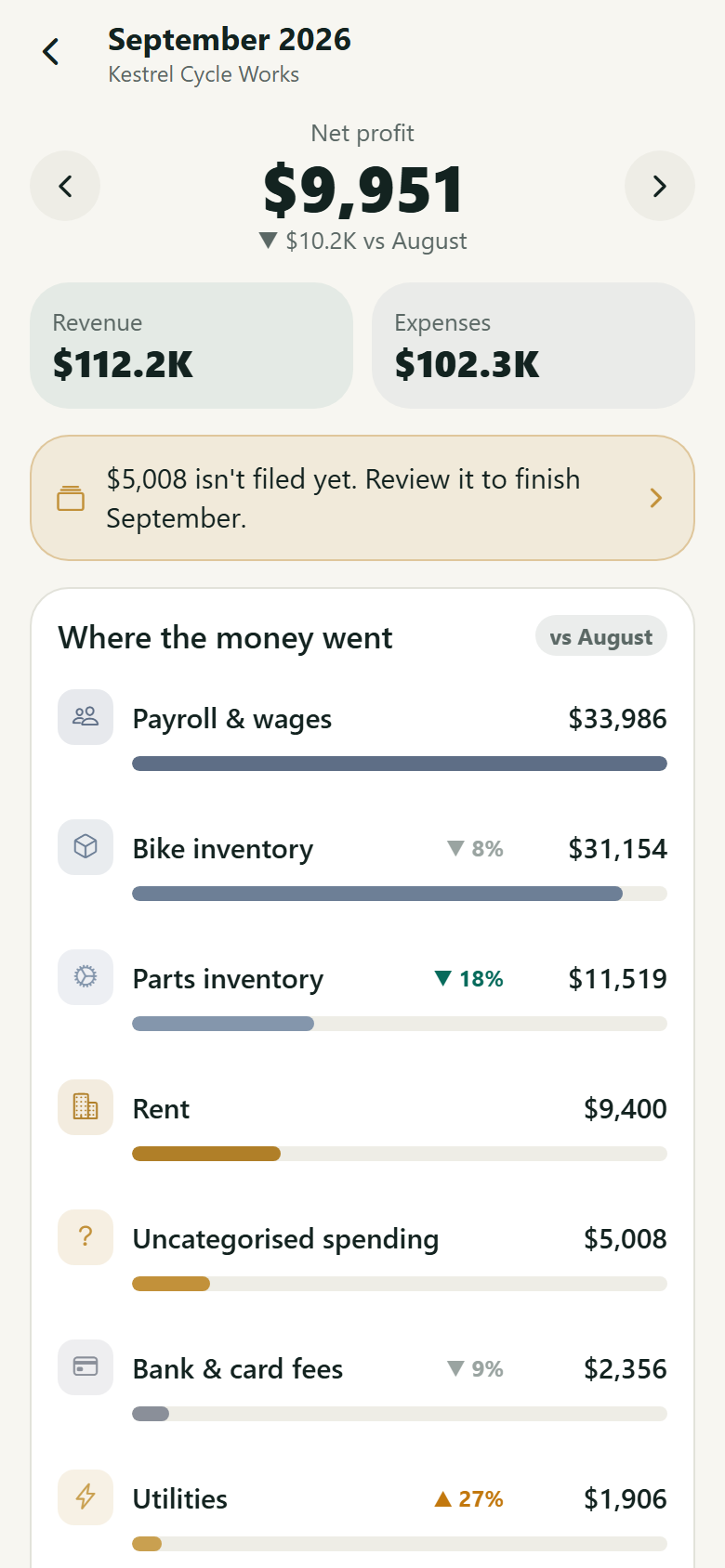
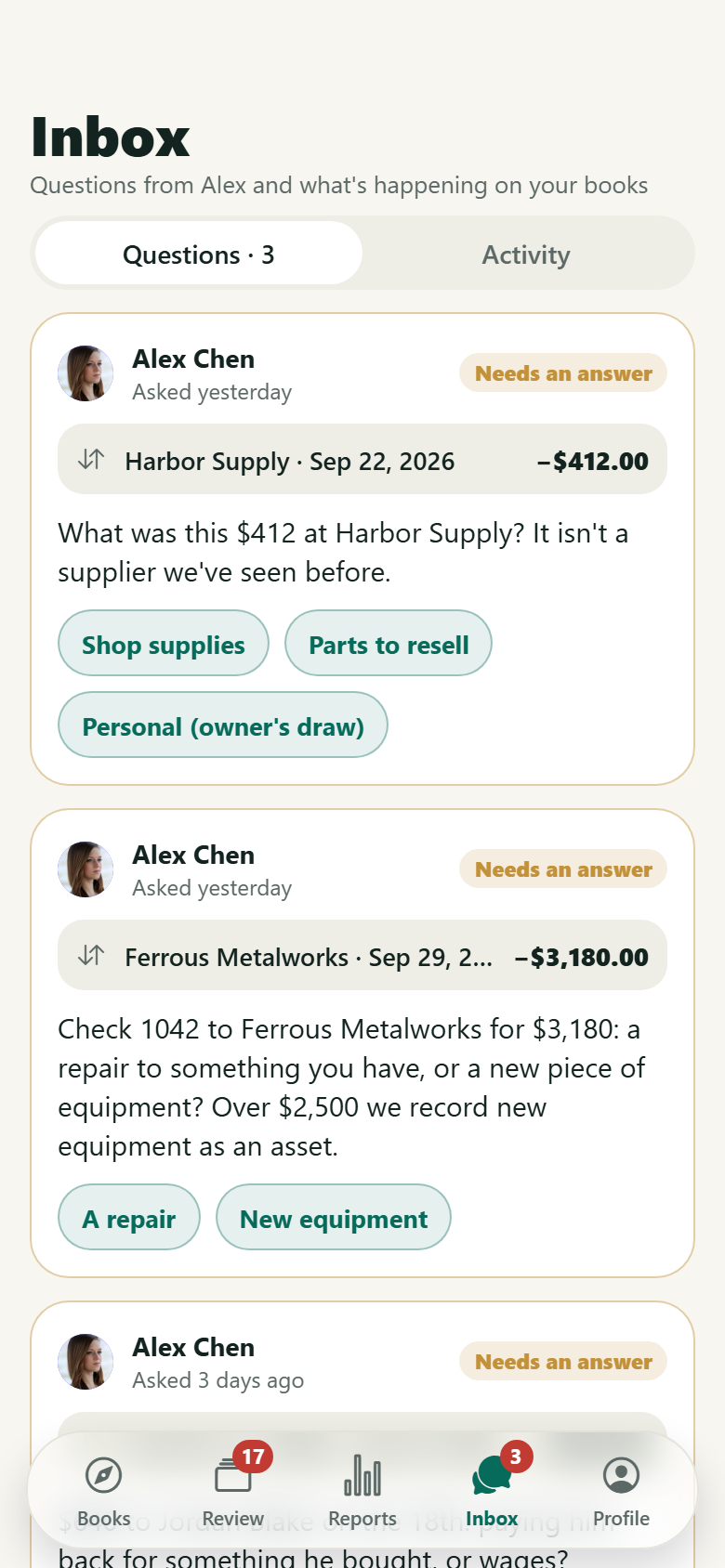
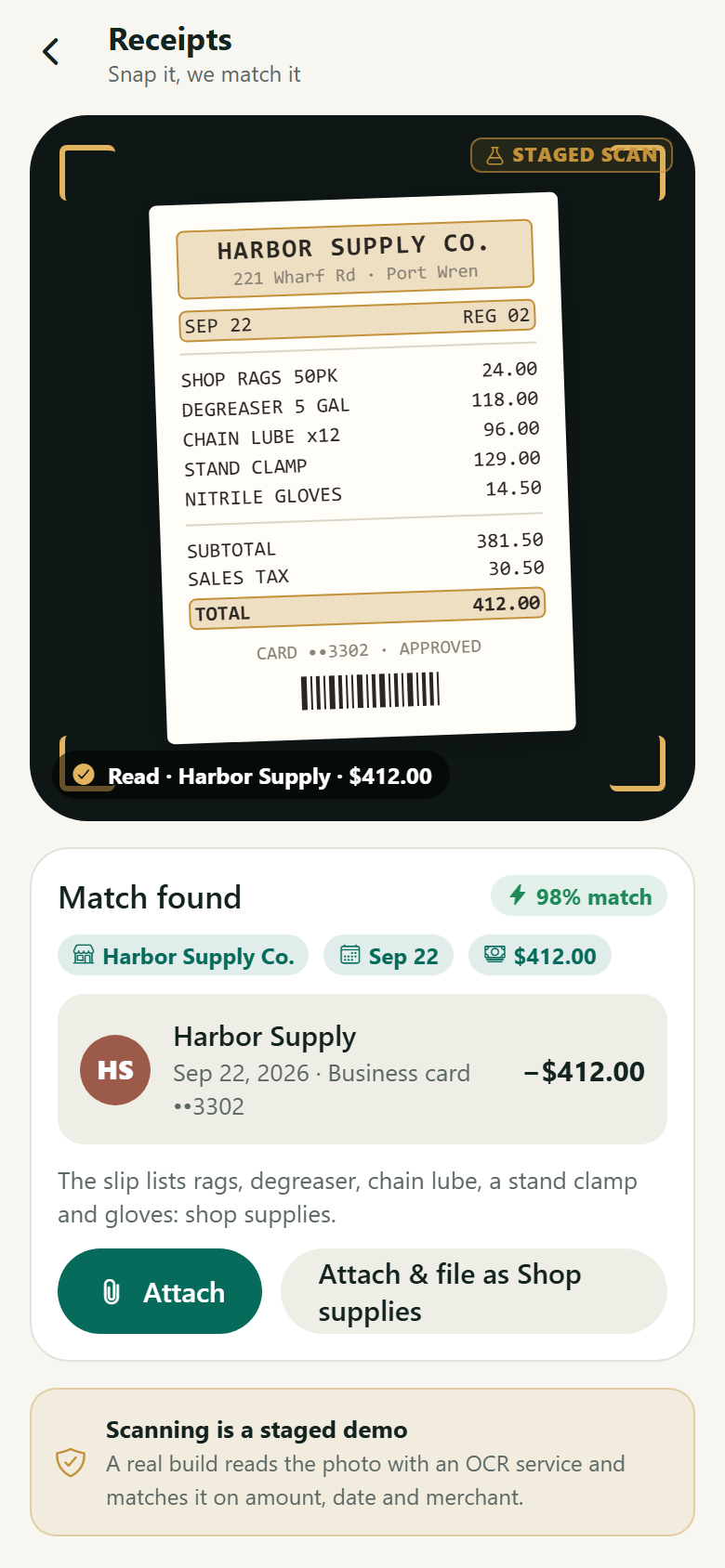
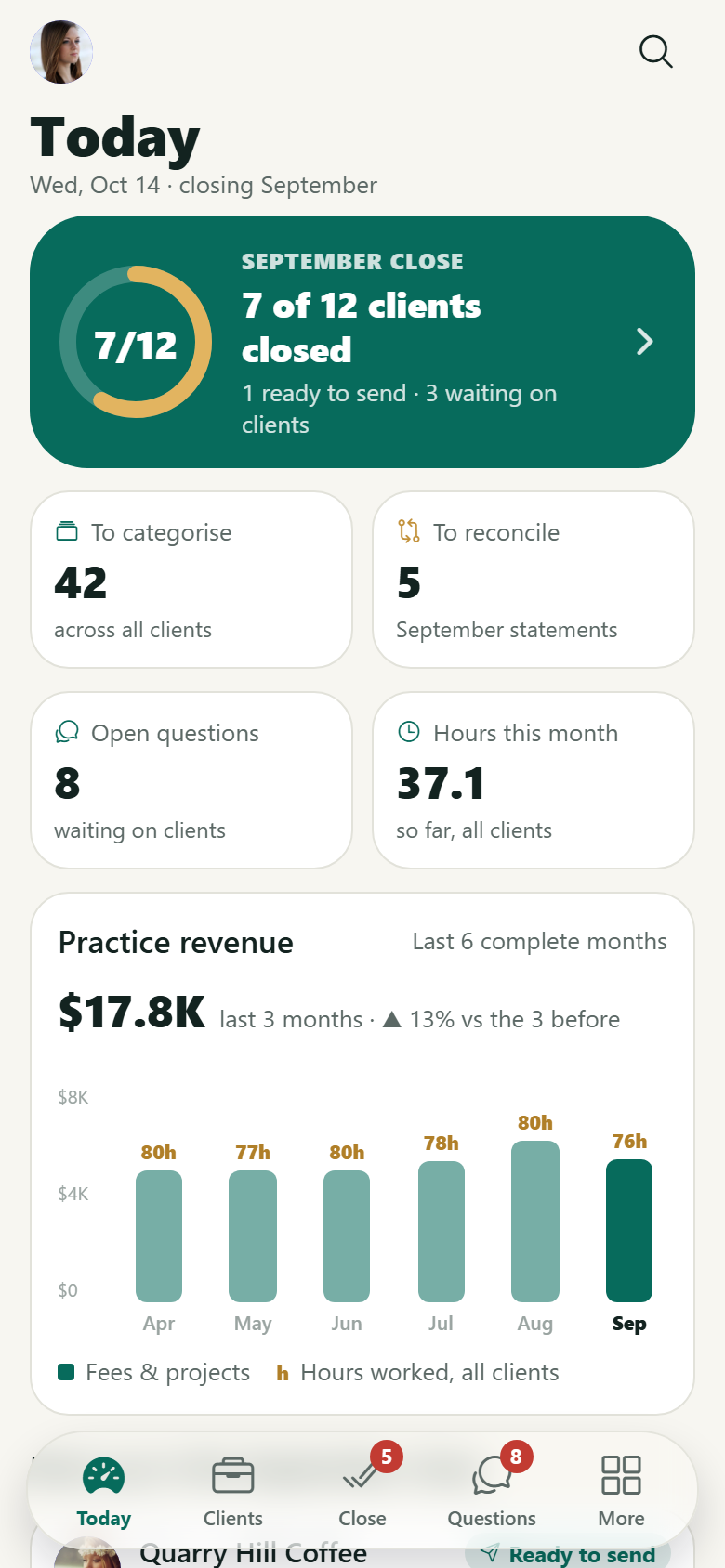
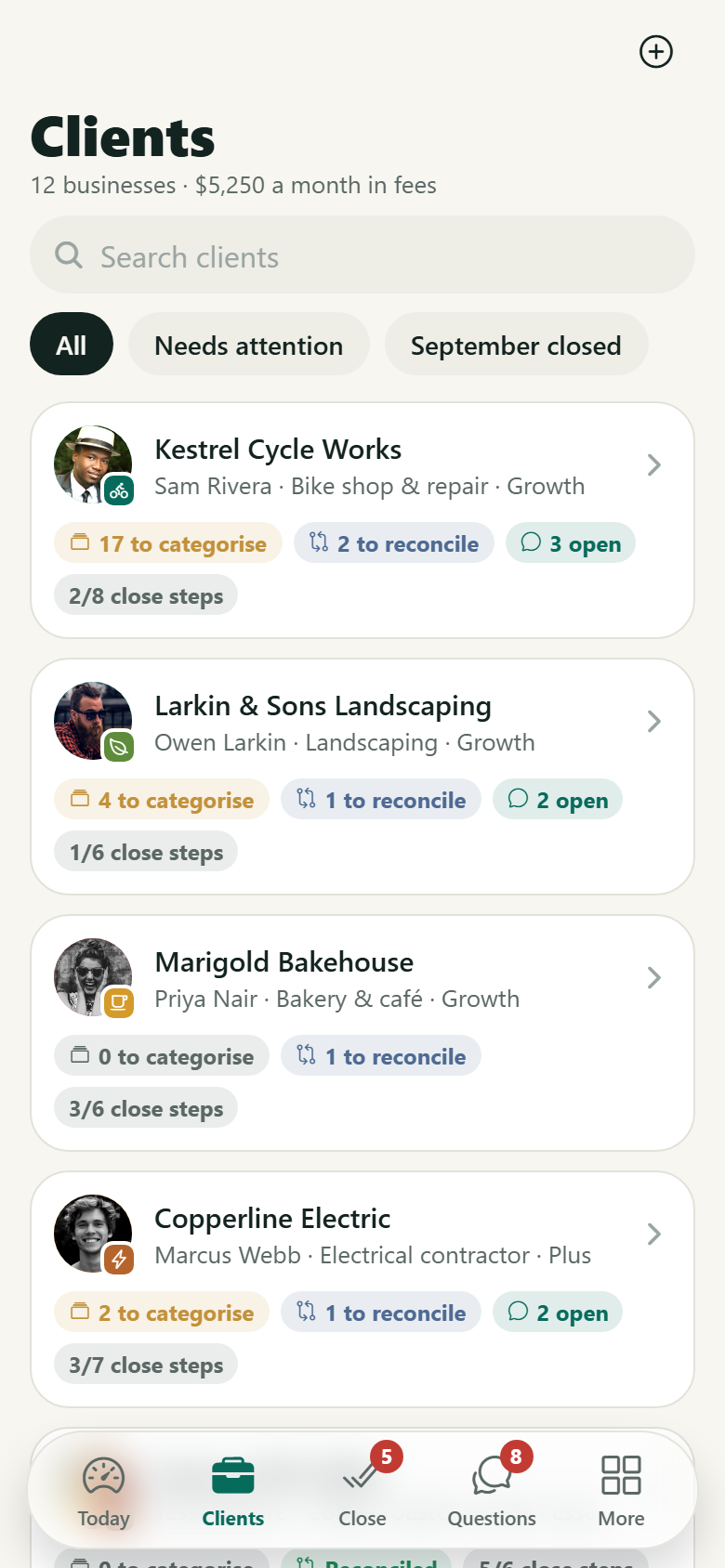
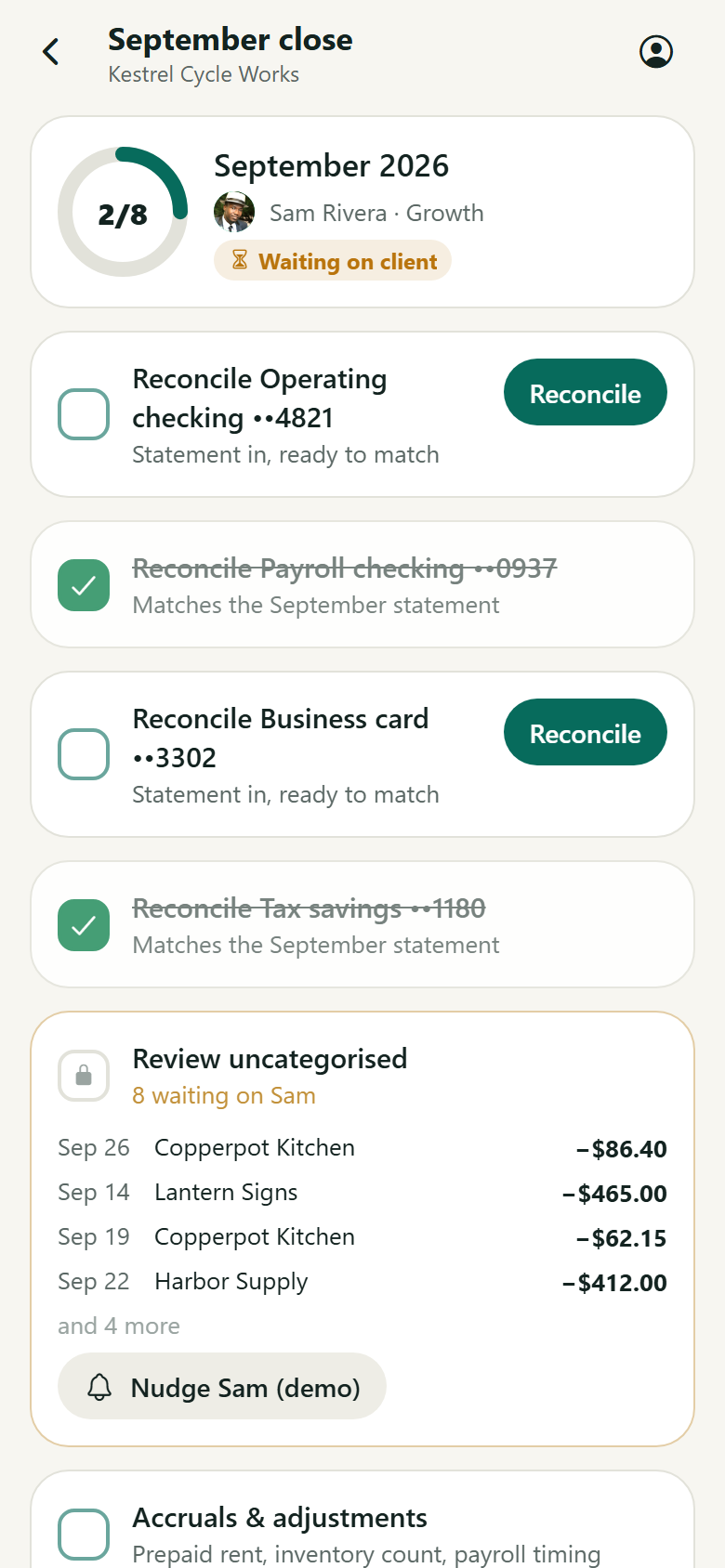
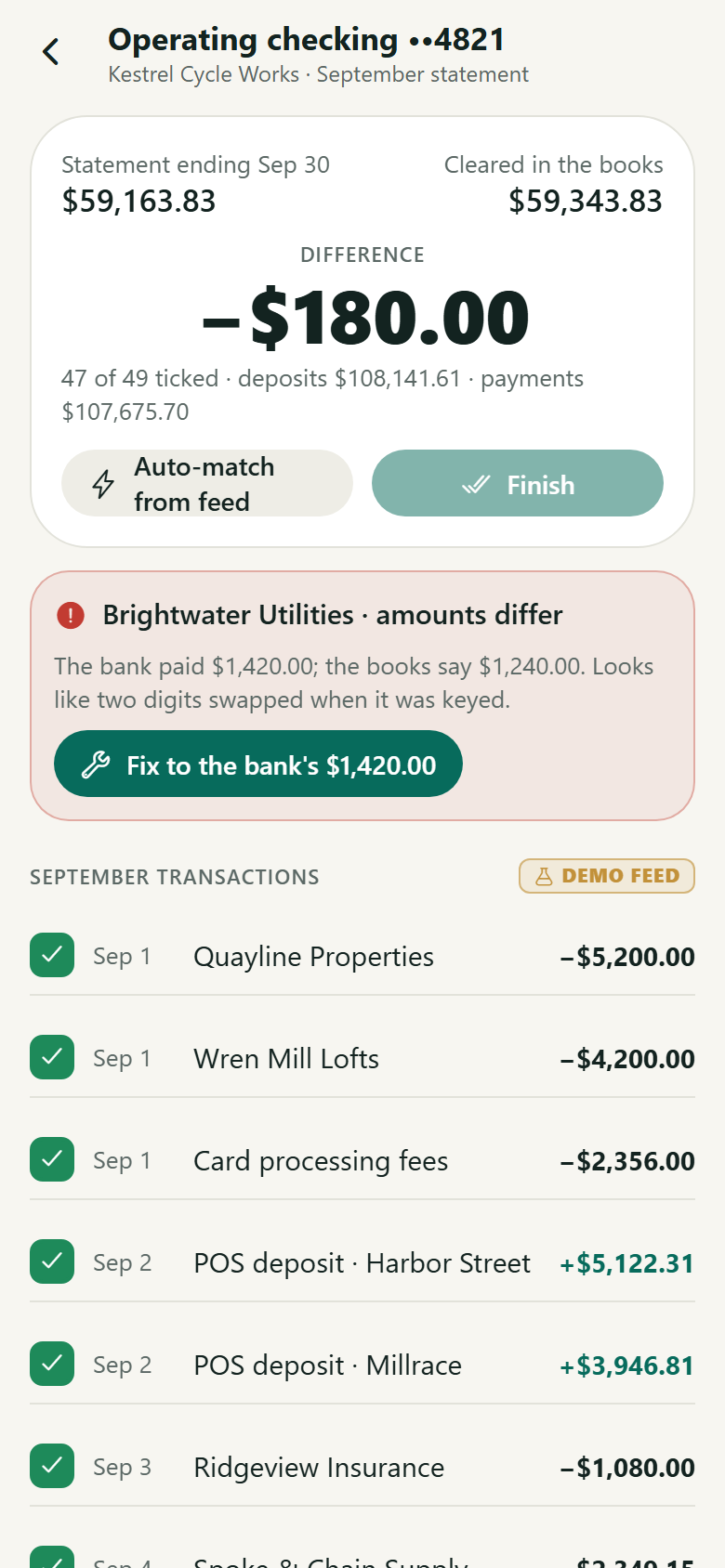
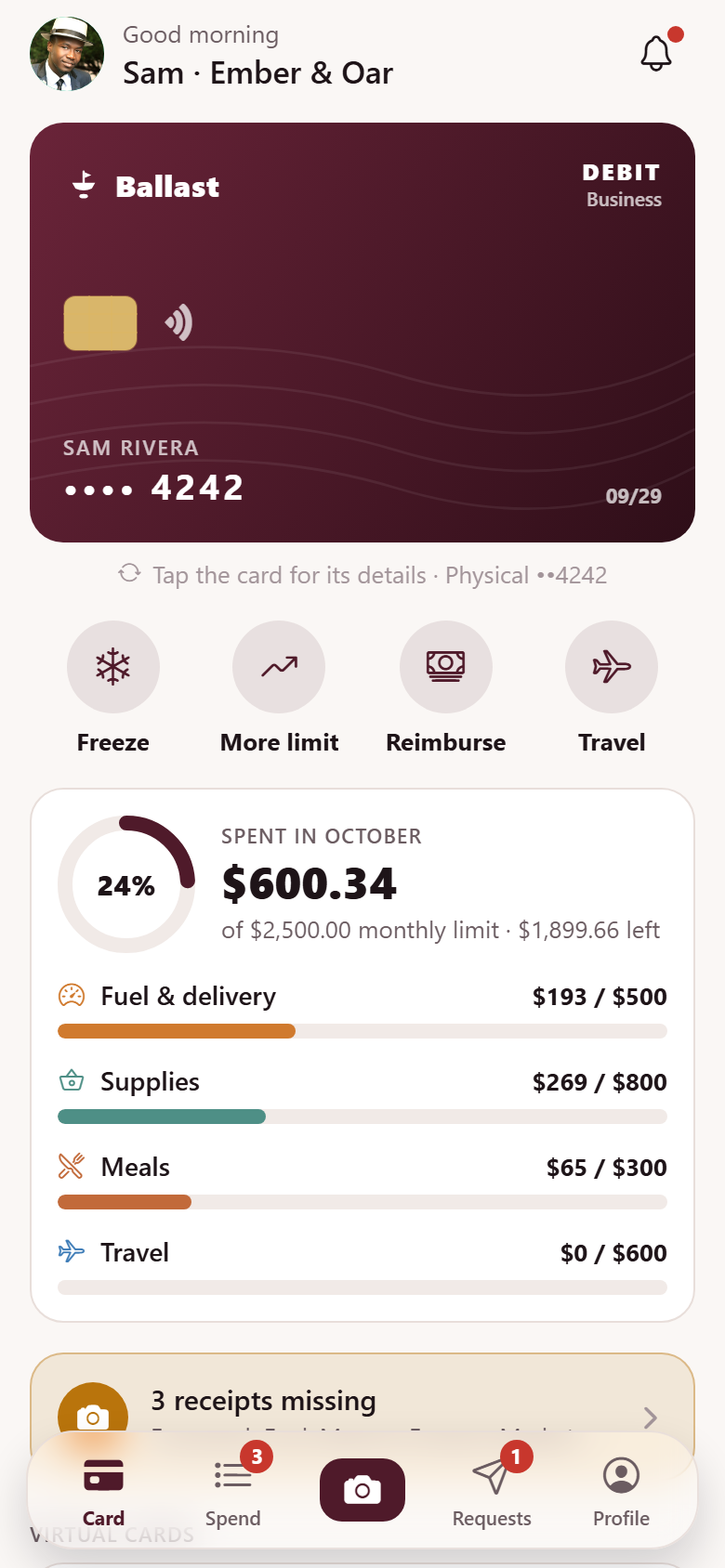
A small business's own books, kept with a part-time bookkeeper, with both sides in one app: the owner's swipe-to-categorise inbox, statements and answers, and the bookkeeper's month close across a dozen clients. The owner (a two-shop bike shop & repair) reviews uncategorised bank and card transactions as a deck of cards: merchant, amount, date, account and the feed's suggested category with how sure it is. Swipe right and it files as suggested, left and a searchable category sheet opens, up and a split sheet with a draggable divider opens; file the same merchant the same way twice and a rule is learned ("Rule learned: always categorise 'Copperpot Kitchen' as Meals"), and every other charge from that merchant files itself, flipping into a "Filed by rule" strip, while a ring counts down to inbox zero for the month. Profit & loss is twelve complete months of revenue and expense bars with a brass net line you scrub with a finger; tap a month for where the money went by category, each with its swing. Around it: reports (P&L for last month, three months, year to date or twelve months against the period before, the balance sheet, the cash flow), the bookkeeper's questions answered in a tap (the answer files the transaction), receipts snapped and matched (a staged read of a drawn slip that finds its bank transaction), the business's own invoices (unpaid and overdue, remind, mark paid with a demo payment receipt, new invoice), a tax set-aside estimate from the owner's own rule (labelled an estimate, never advice), banks and cards connected through a staged demo, learned rules, the monthly report from the bookkeeper, a transaction's detail (category, split, receipt, rule, ask the bookkeeper), search, profile, edit profile and settings. The bookkeeper's side: a dashboard (last month's close as a ring, transactions to categorise, accounts to reconcile, open questions and hours as rolling counters, practice revenue over the last six complete months with hours, the clients that need a person next); clients with each one's books status (to categorise, to reconcile, month closed); the month-close board by stage (ready to send, waiting on the client with a nudge, in progress, closed); the per-client checklist (reconcile each account, review uncategorised, which unblocks the moment the owner swipes, accruals, review the P&L with flagged swings, send the report, which closes the month and lands in the owner's inbox); the reconciliation (statement ending balance against the books, tick transactions or auto-match from the feed until the difference rolls to $0.00, with a keying error flagged and fixed in a tap); questions to clients with replies; the client record; client reports; billing to clients (monthly fees, overdue retry, demo send); and practice settings for plans & fees, the close deadline, team and connections. Twenty-nine screens on seeded clients, bank and card accounts, a chart of accounts, transactions, monthly P&L lines and close state, rules, questions, invoices and documents.
29 screens, real flows
Make it yours by describing it
Tell Co-Create what to change, in plain words or a voice note. It asks what it needs to know, then shows you designs before anything is built.
Nothing changes until you approve
Approve one piece or a whole section. Every build gets a preview, and you can roll back to any earlier point.
Your app, your code
Go live on a clean address or your own domain, and download the full source whenever you like.
Your idea could be an app by Friday.
Start free. Talk it through, answer a few questions, pick a design and watch it build.
7 days freeCancel anytime