
App template
Pursestring: a budgeting app template.
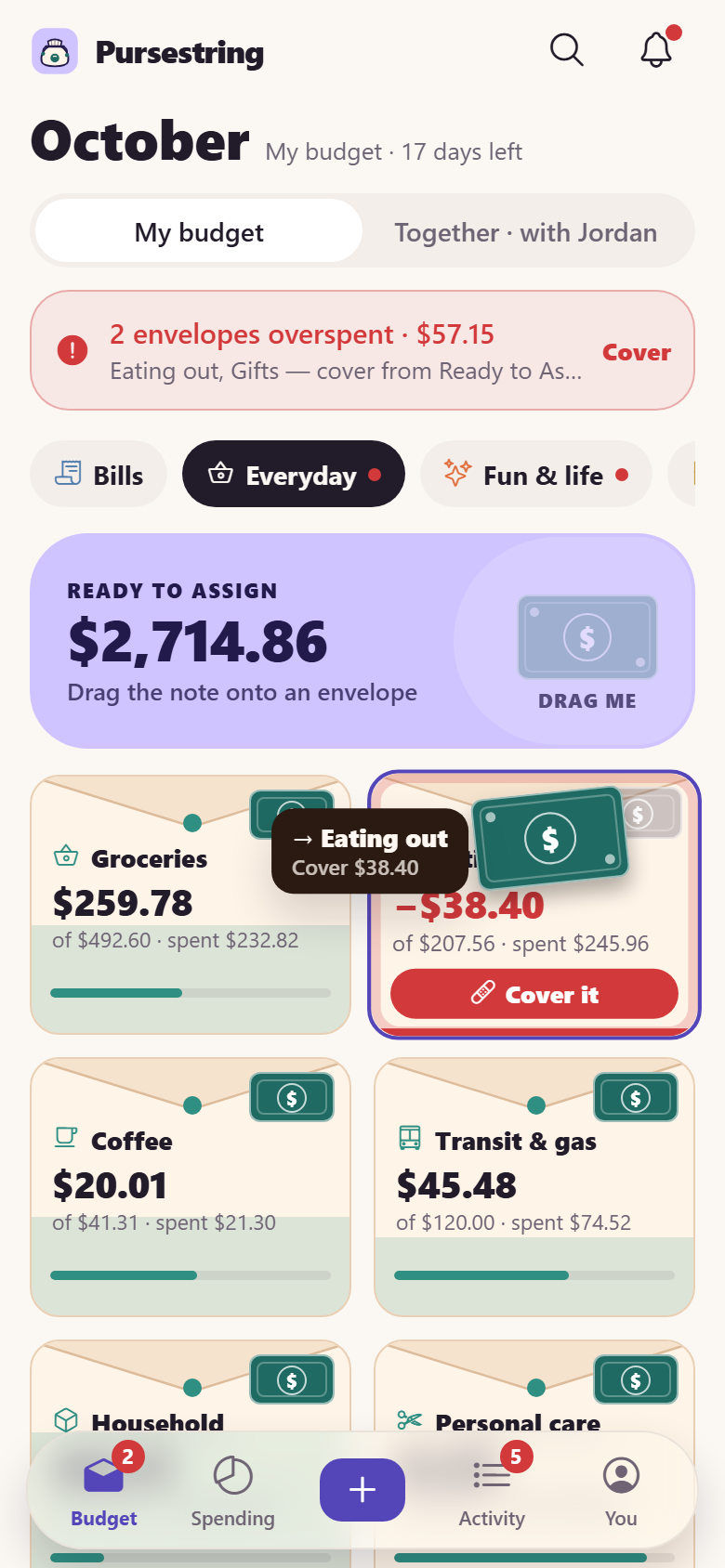
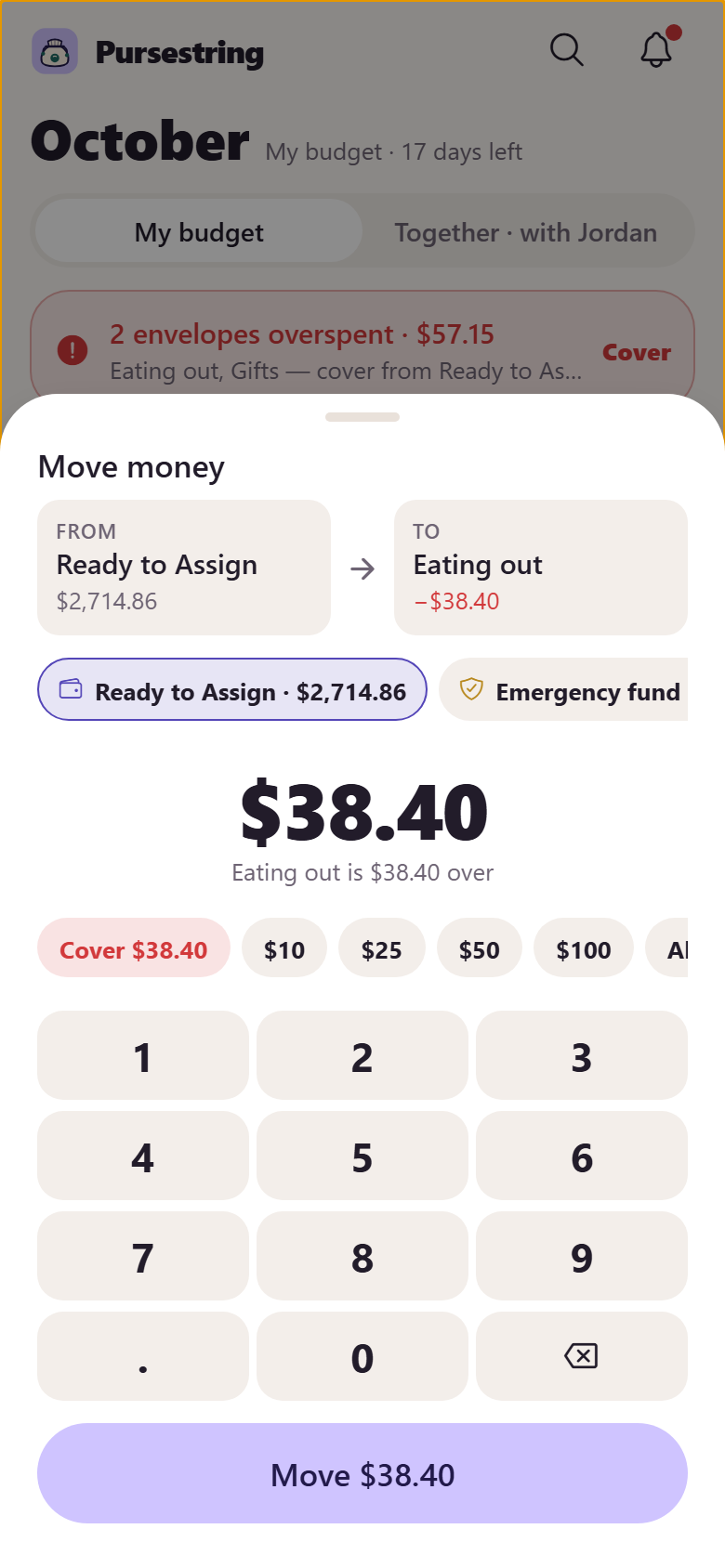
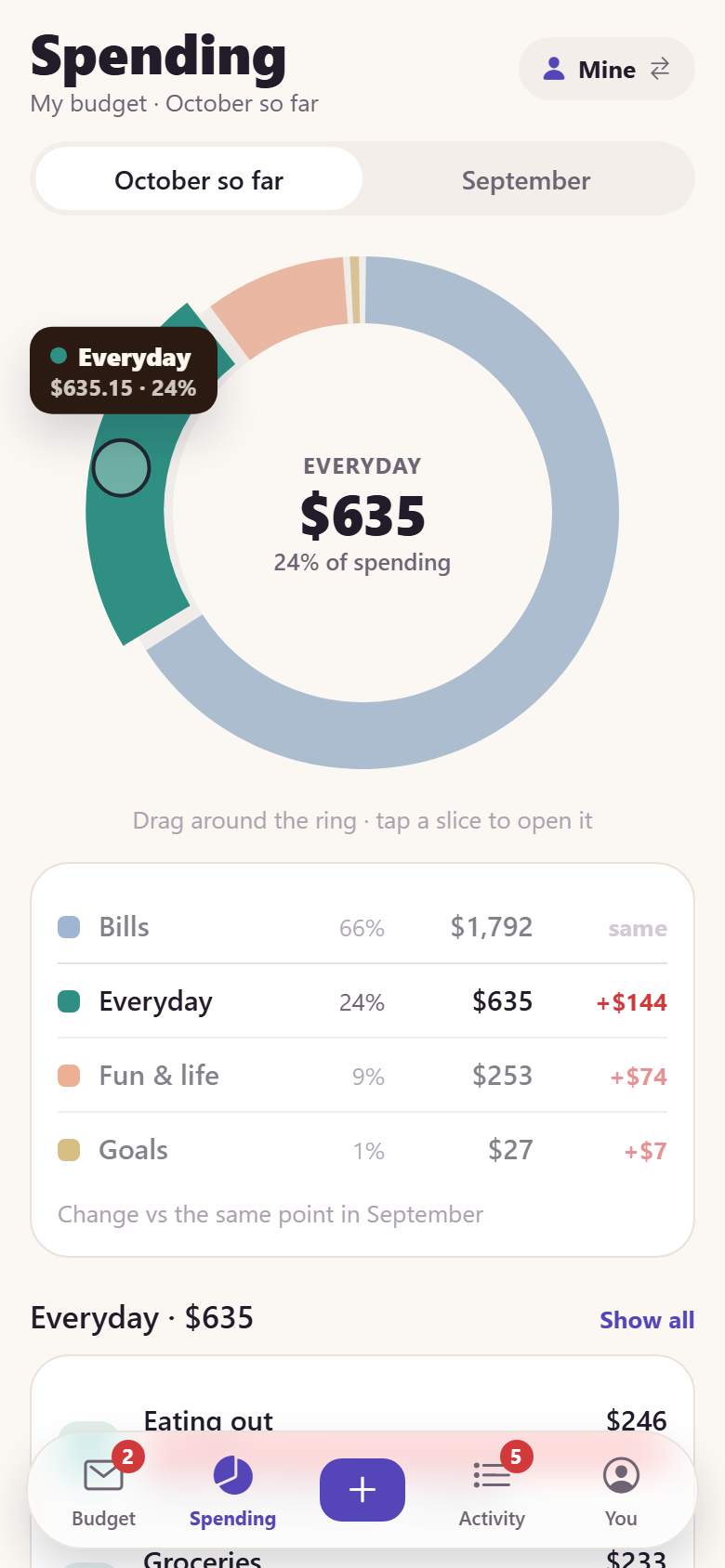
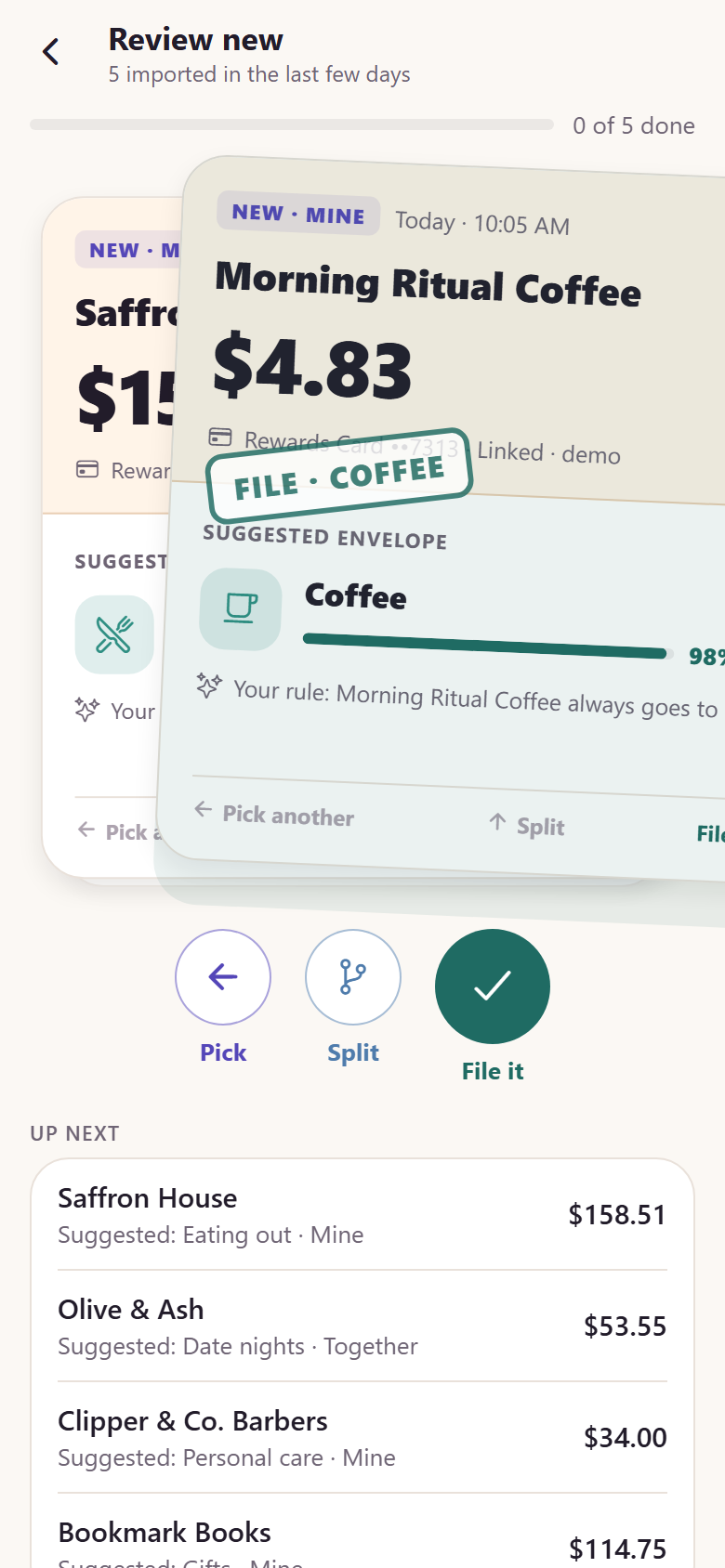
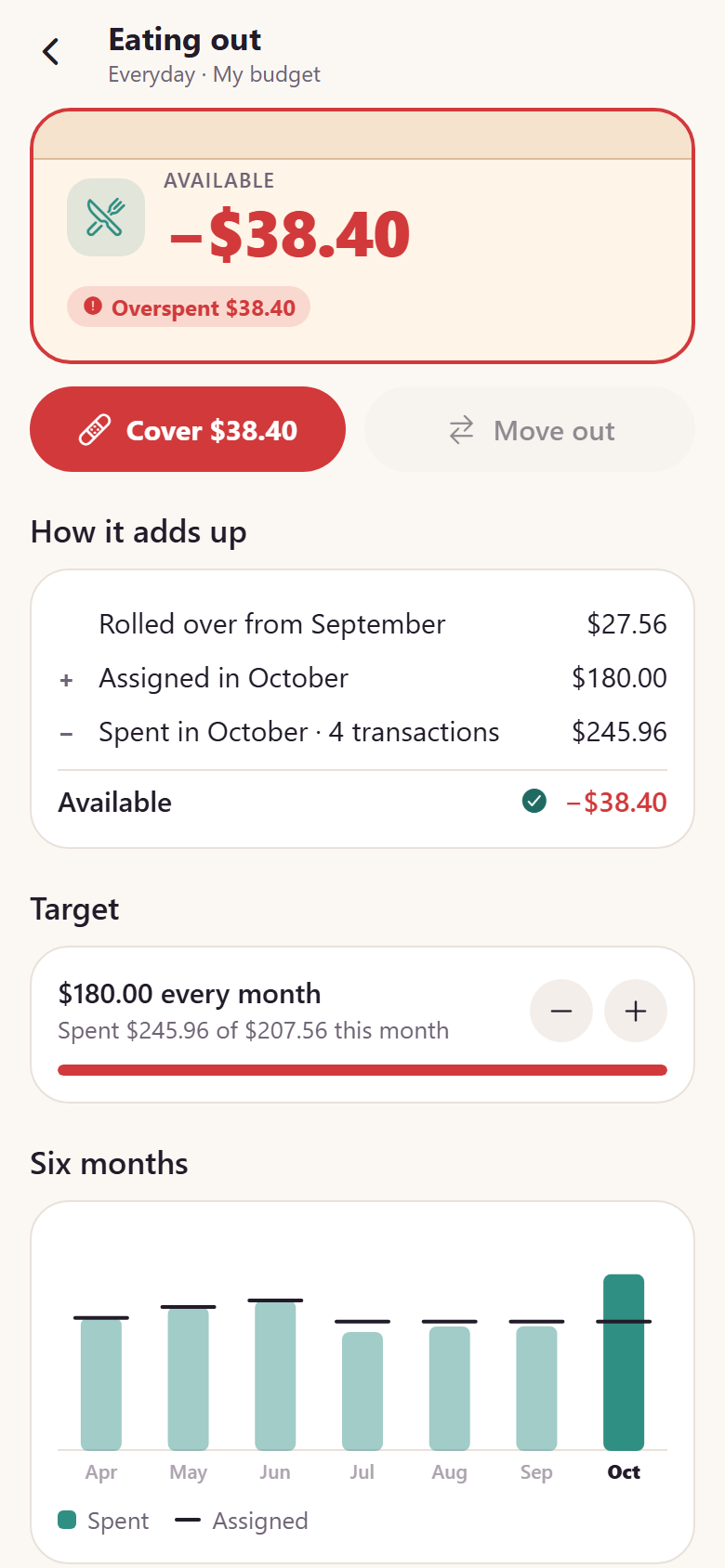
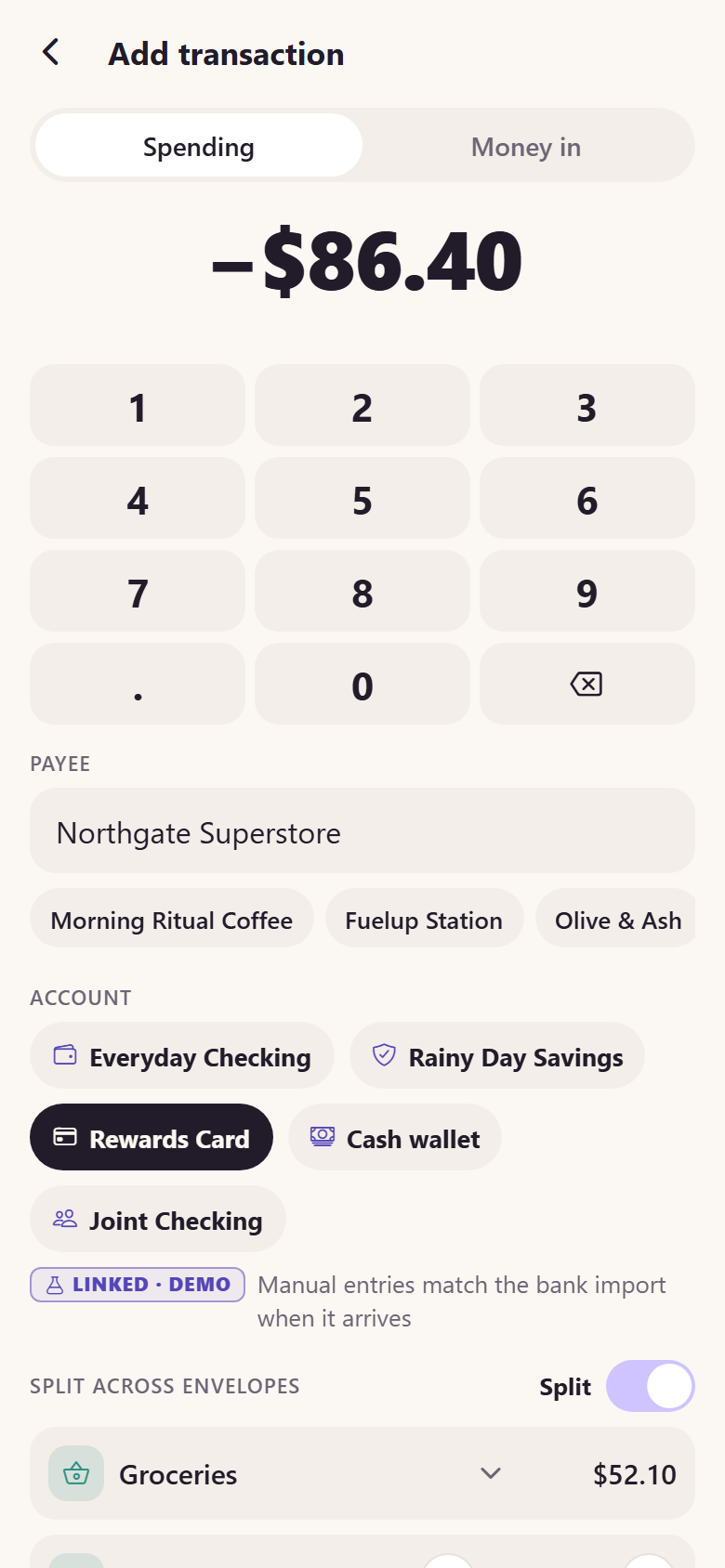
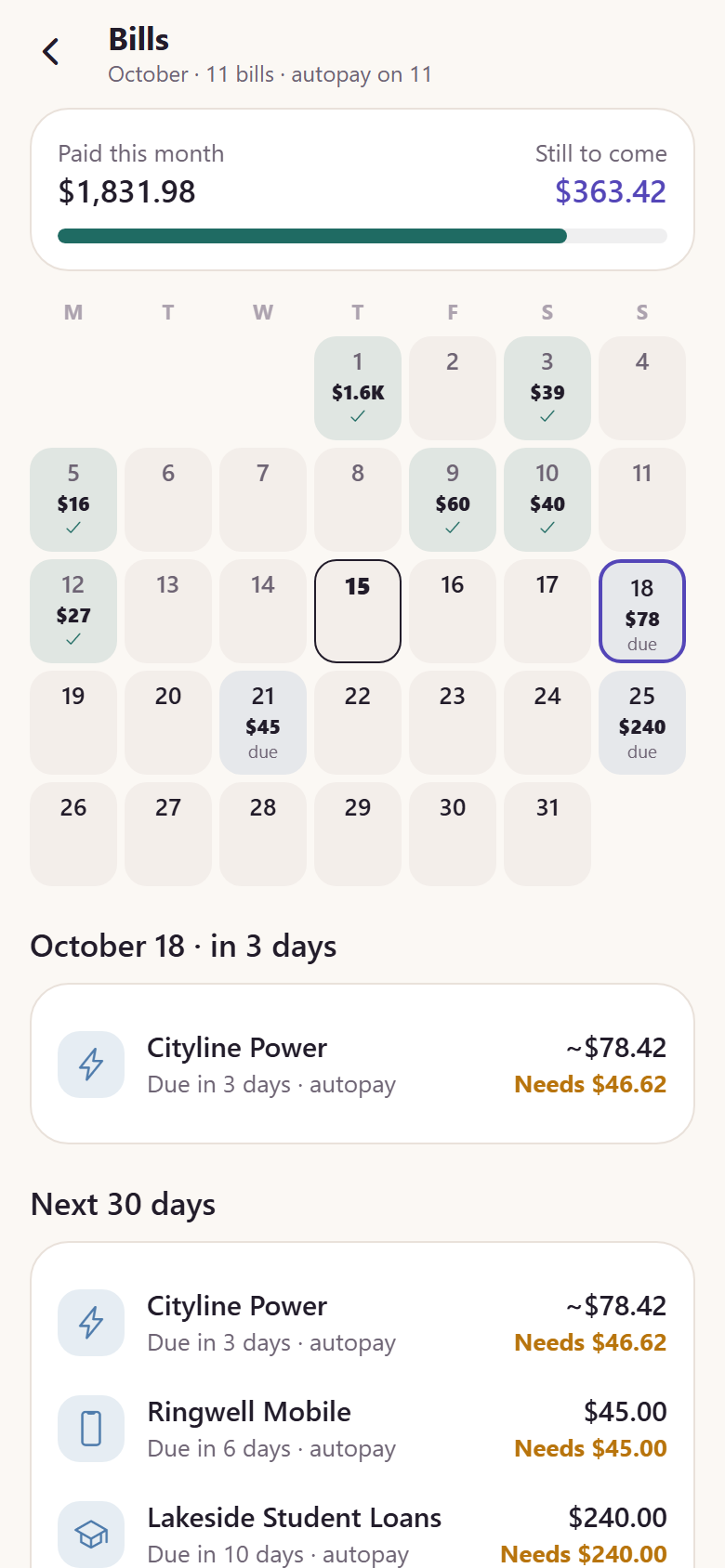
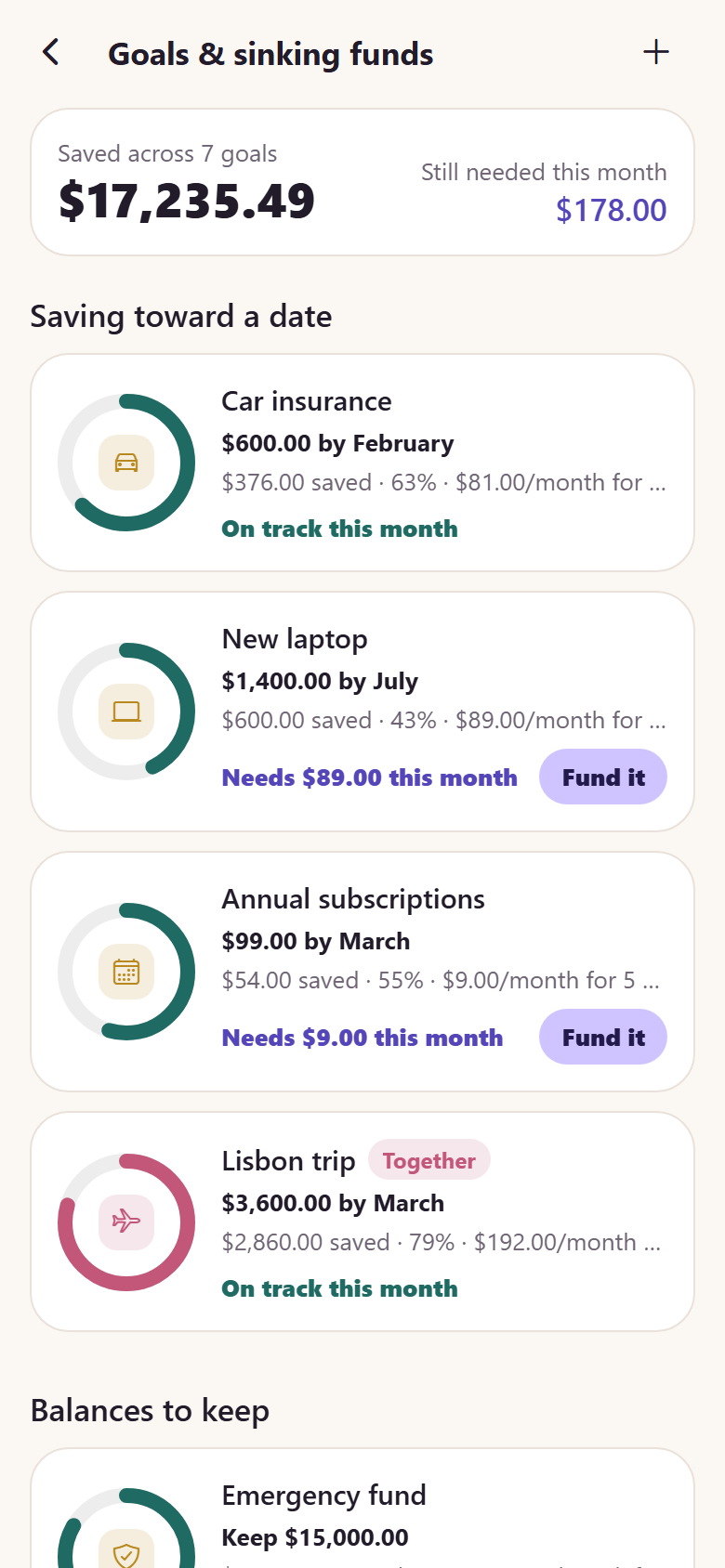
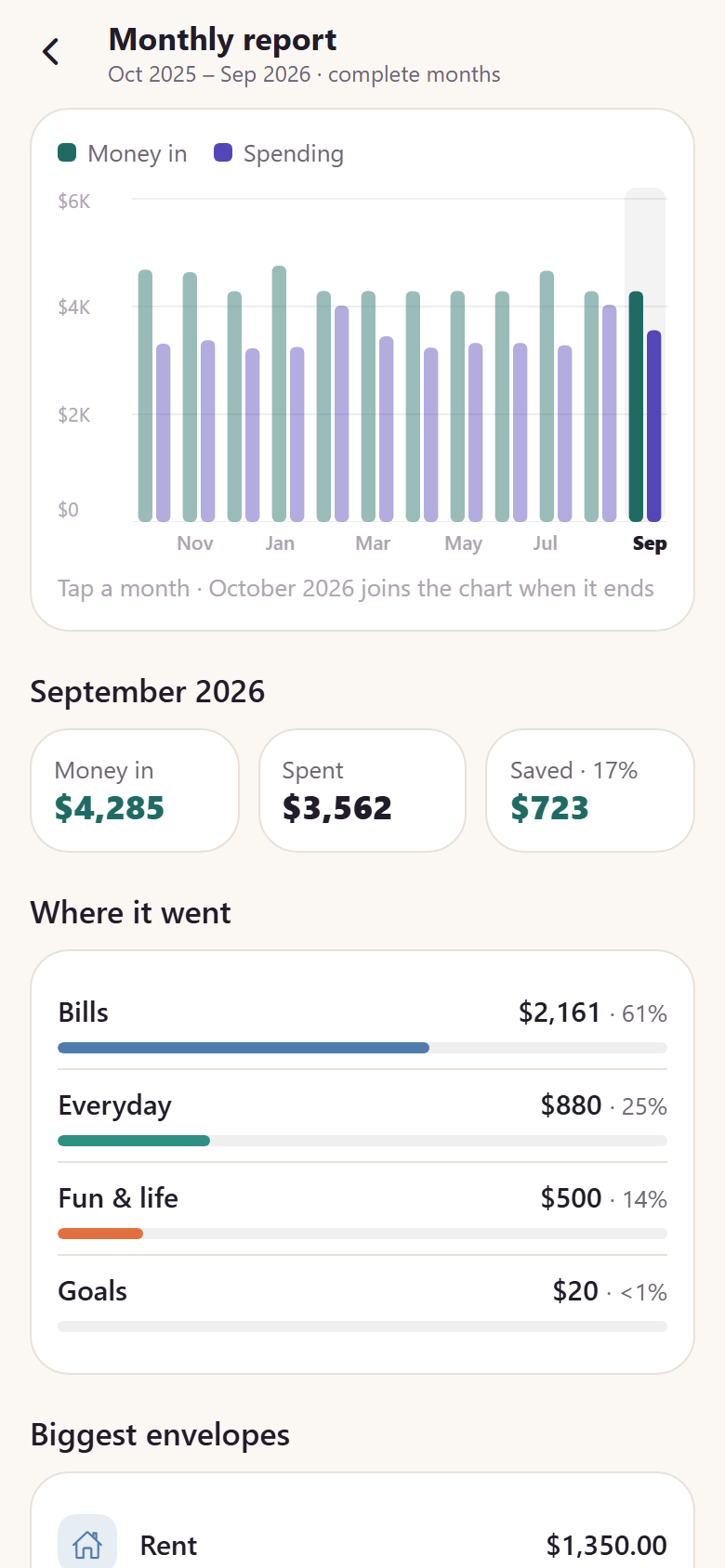
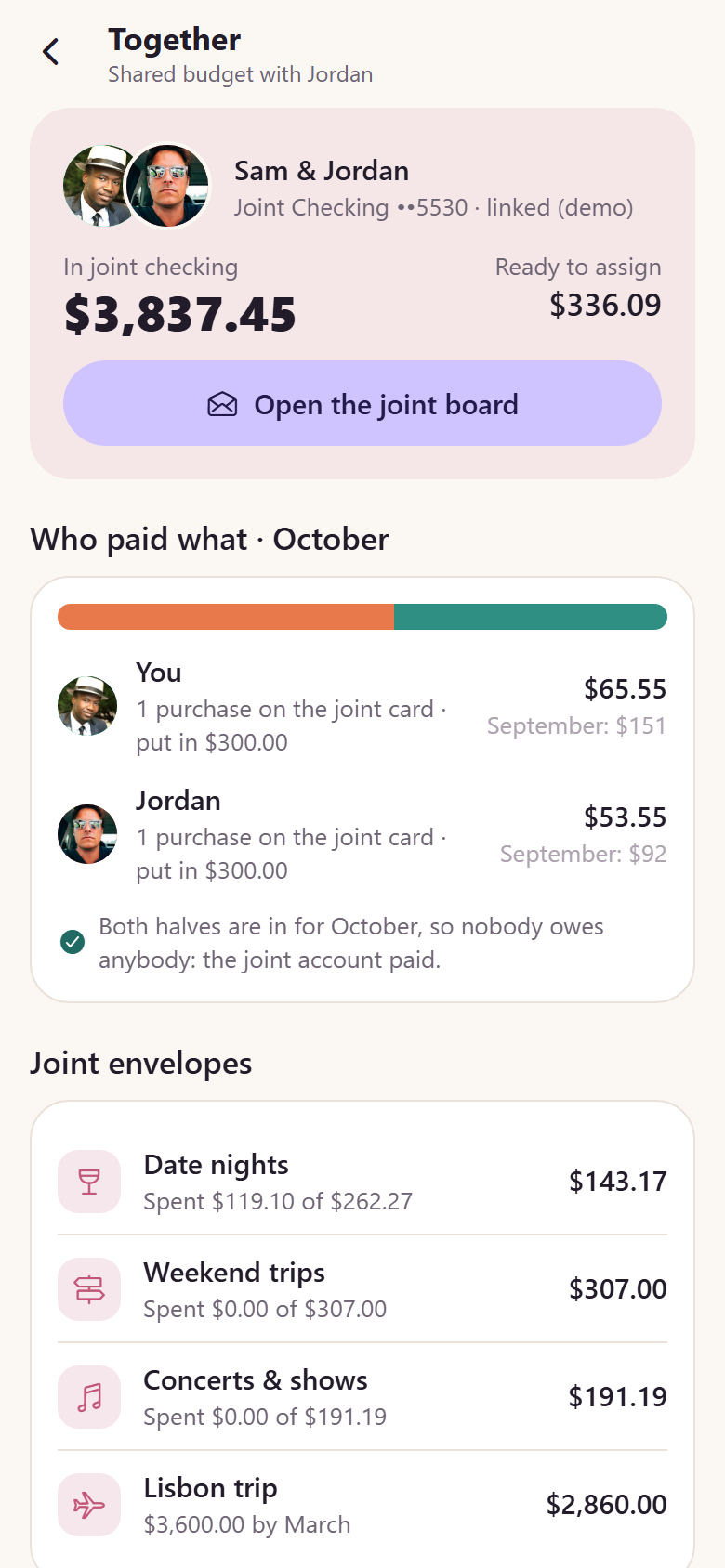
A personal envelope budget in the shape of YNAB, Goodbudget, Monarch and Copilot: every dollar you already have gets a job before you spend it. Demo money throughout: accounts are linked through "Connect your bank, demo", numbers are masked, no bank is contacted, and nothing is financial advice. The Budget board is the signature: Ready to Assign is a periwinkle card holding a spruce banknote, and the month's envelopes are drawn kraft envelopes with a fill that drains as their money is spent; drag the note (or any envelope's own note) onto another envelope, it follows the finger 1:1, the envelope under it lifts, a label beside the finger says "→ Eating out · Cover $38.40", and the amount sheet opens with preset chips and a keypad, defaulting to what the target needs and refusing more than the source holds; balances roll, and overspent envelopes glow red with "Cover it". The second signature is the Spending donut: this month's spending by envelope group that you drag around, the slice under the finger lifts with a label beside it, then tap to drill into its envelopes and transactions, every number compared with the same point last month. Around them: a swipe deck to review newly imported transactions (right files it, left picks another envelope and can save a payee rule, up splits it); every transaction for four months with search and filters; add a transaction on a keypad and split it across envelopes; an envelope's record that shows how it adds up (rolled over + assigned − spent = available) with its target, six months of history and transactions; a bills calendar with every recurring bill on its day and whether its envelope is ready; goals and sinking funds ("Car insurance · $600 by February" with the monthly amount that gets there); accounts, checking, savings, a rewards card, cash, reconciled on screen to the cent against Ready to Assign and the envelopes; account registers with running balances; a monthly report of income against spending over twelve complete months; reflect ("You spent 31% less on household than your 3-month median"); age of money and runway; a budget shared with a partner with a joint account, who paid what and next month's split; onboarding (income, fixed bills, first envelopes), live notifications, search, profile and settings with sign-out. 22 screens on seeded accounts, envelope groups, envelopes with targets, four months of transactions, thirteen months of envelope history (about 800 money movements), budget periods, recurring bills and payee rules, a ledger the seed proves reconciles every month.
22 screens, real flows
Make it yours by describing it
Tell Co-Create what to change, in plain words or a voice note. It asks what it needs to know, then shows you designs before anything is built.
Nothing changes until you approve
Approve one piece or a whole section. Every build gets a preview, and you can roll back to any earlier point.
Your app, your code
Go live on a clean address or your own domain, and download the full source whenever you like.
Your idea could be an app by Friday.
Start free. Talk it through, answer a few questions, pick a design and watch it build.
7 days freeCancel anytime